Get a second business number in four steps
- 01
Choose how you will use the number
List the calls, texts and destinations you need. Compare a virtual-number service if you need another contact number; compare a second carrier plan if you need another cellular connection.
- 02
Review an available offer
Choose a number only after checking stock, eligibility, usage charges and renewal terms. For a 26sim US plan, confirm you have the existing US phone required for calls and understand any separate outgoing-SMS approval and fees.
- 03
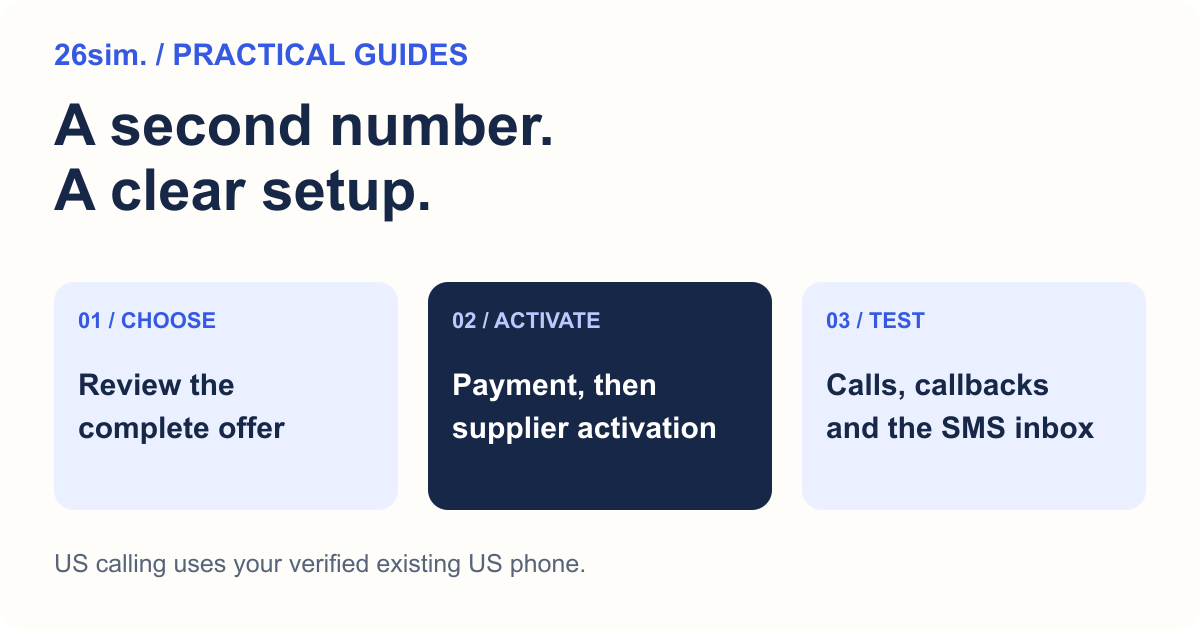
Complete payment and activation
When live checkout is available, follow the selected offer through payment and supplier activation. Test checkout creates no usable number. A search or payment redirect alone does not establish that the number is ready.
- 04
Test before advertising
Verify the forwarding phone, test an incoming call and a callback, and check the SMS inbox. Send outgoing SMS only after approval. Then add the business number to the places where customers should reach you.
How do you know the number is ready to publish?
Record your own results before adding the number to business listings. This checklist describes what to test; it does not claim a completed 26sim delivery test or guarantee another app will accept the number.
| Check | What to verify | Where to look |
|---|---|---|
| Number assignment | The order has an assigned, active number. | Your private paid receipt and number dashboard. |
| Incoming call | You can answer a test call on the intended existing US phone. | Your calls: the forwarding phone is verified. |
| Callback | The recipient sees the expected number when you use the business calling action. | Call from my number in the dashboard, followed by recipient confirmation. |
| Incoming SMS | An ordinary test text appears on the activated number. | Your messages in the dashboard. |
| Outgoing SMS, if needed | Registration is approved and an authorised test recipient receives the message. | The sending status and message history. |
| Continuity | You understand renewal, usage credit and the paid period. | Subscription management and the usage balance. |
Start with the conversations you expect
Imagine a freelance designer adding a contact number to a portfolio. They might receive a few calls each week and prefer to discuss project details by email. Now imagine a repair business that needs customers to send photographs and expects several people to answer calls. Both need a business number, but they need different services.
Write down what happens after someone finds your number: who answers, where messages arrive, how you call back and how much contact you expect. A separate public number can help keep your personal number off your website. It does not automatically give you business hours, a shared inbox, call recording or anonymity.
- Calls: incoming only, or callbacks from the business number too?
- Messages: plain SMS, pictures, or communication through a separate app?
- People: one person answering, or several people sharing access?
- Location: where will you answer, and which countries will you contact?
- Continuity: do you need a new number, or to transfer one you already advertise?
Choose between a virtual number and a second mobile line
A virtual-number service handles the supported calls and messages for an additional number. Some services use an app for calls; others forward calls to an existing phone. Ask which method you are buying. An online SMS inbox does not mean that calls also work in your browser.
A second SIM or eSIM adds another carrier plan to a compatible phone. Apple documents Dual SIM as an option for keeping business and personal lines on one iPhone. Device, carrier and plan support still need checking. A separate handset is another option if physically putting work away matters more than carrying one device.
Compare these approaches against your list of required features. If you need another cellular connection, a virtual number alone does not provide it. If you only need a separate contact number, another mobile plan may include more service than you need.
Compare the cost of a realistic month
Use the same estimated call minutes and SMS segments for every plan. Include incoming and outgoing usage where the provider charges for both. Ask about activation, recurring registration fees and taxes before treating the headline price as your total.
For example, 26sim US Basic is $2.99 per month plus $0.03 per started connected call minute and $0.02 per SMS segment. A month with 20 billed call minutes and 20 SMS segments would cost $3.99 before taxes or separately quoted registration fees. This is an illustration, not a forecast of your bill.
US Premium is $6.99 per month with 100 shared incoming/outgoing call minutes and 100 shared incoming/outgoing SMS segments. At 100 minutes and 100 segments, Basic would cost $7.99 and Premium $6.99 before additional fees. Unused Premium allowances expire each billing month.
Budget for the payment you need to start using the service as well as the usage you expect to consume. Basic includes no usage credit; prepaid top-ups start at $5. Rental plus a $5 top-up is a larger initial payment than rental alone, while unspent credit remains a balance for future usage.
When a 26sim US number fits the requirement
Compare 26sim if you want a dedicated US local number, an online SMS inbox and calls routed through your verified existing US phone. Incoming calls forward to that phone. For outgoing calls, the dashboard rings your phone first and then connects a supported US destination.
Outgoing SMS requires registration approval; paying for the number or choosing Premium does not approve sending. Any setup or monthly registration fees are quoted separately before agreement. MMS, mobile data and emergency calling are not included. Use your existing phone directly for emergencies.
If pictures, international destinations, number porting or team call handling are essential, confirm a suitable service before committing. Number porting is not currently available through the 26sim website. Do not publish a new number until its required features are active and tested.
Test the number before putting it on your website
- 01
Confirm the exact offer
Check available stock, number capabilities, eligibility, complete costs and renewal terms. Searching does not reserve a number. A successful payment still needs supplier activation before the number is usable.
- 02
Test an incoming call and a callback
Ask someone to call the activated business number. Answer on your intended phone, then test the provider’s supported callback method. Have the other person confirm the number they see when you call back.
- 03
Test your message workflow
Check where a normal incoming SMS appears. Test outgoing SMS only after approval. Confirm any required message type separately; a plain-text SMS test does not establish picture messaging or verification-code acceptance.
- 04
Plan for renewal and access
Keep subscription details and the private dashboard link secure. Decide who monitors billing and how you will update public listings if the service ends. Released numbers may not be recoverable.
Common questions
Do I need a second phone for a business number?
Not necessarily. A compatible Dual SIM phone can hold another carrier line, while a virtual-number service can handle supported calls through an app or forwarding. Check the exact service: 26sim US calling uses a verified existing US phone.
Will customers see my personal number when I call them?
That depends on how you place the call. Use the business service’s supported callback method and test the displayed number before relying on it. Dialling directly from your personal carrier line can show that line’s number.
Can I use my new number for every app and bank?
No universal acceptance is promised. The destination service decides which number categories and providers it accepts. Do not make a business number your only recovery method without confirming the service rules and planning for loss of access.
Can I move an existing business number to 26sim?
Number porting is not currently available through the website. Compare a new number only if changing your published contact details is acceptable; do not cancel an existing service in anticipation of an unsupported transfer.