1. Check which product you ordered
For a monthly number, start with the private purchase receipt and confirm that a number has been assigned and activated. Payment and supplier activation are separate steps. A checkout confirmation by itself does not establish that messages can arrive.
For temporary SMS, check the selected country, destination service and receiving window. Follow that order’s completion and expiry rules. A closed receiving window is different from an ongoing monthly inbox issue.
| What you see | First check | Next action |
|---|---|---|
| The number is awaiting activation | The receipt and current order status. | Wait for confirmed activation or contact support about the order. |
| An active monthly line has no new text | The private number dashboard inbox. | Check the destination digits and try one ordinary test SMS. |
| Ordinary texts arrive but an app code does not | The app’s number rules and retry guidance. | Investigate acceptance with the destination service. |
| A temporary order has expired | Its receiving window and completion terms. | Follow the order policy before paying for another order. |
2. Open the inbox for the assigned number
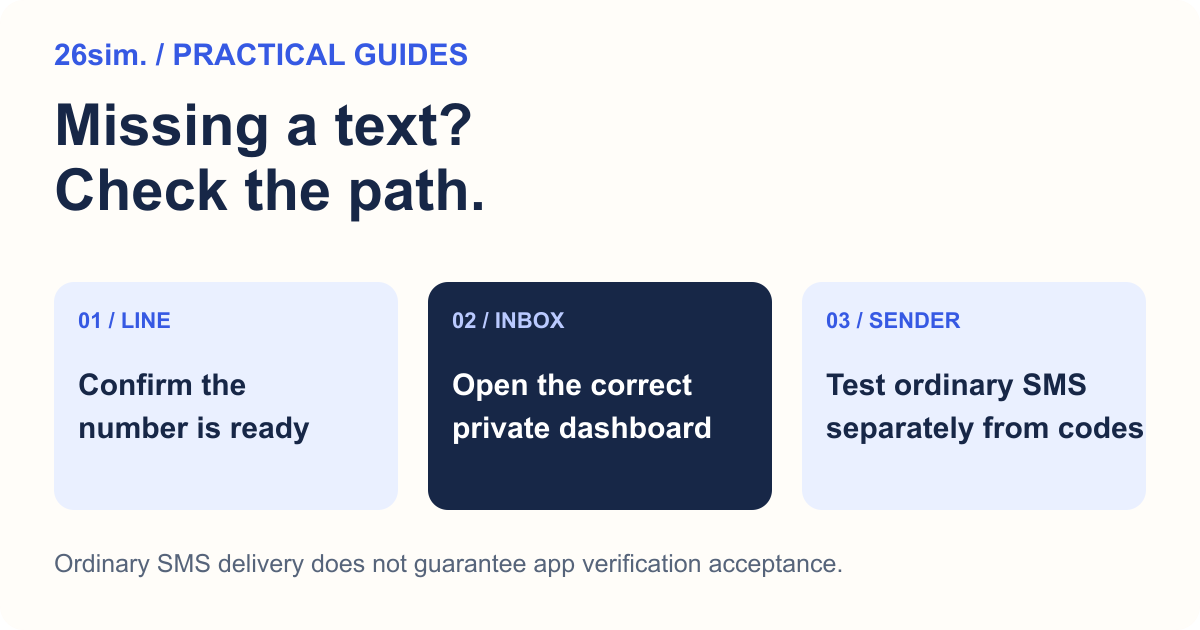
For an activated 26sim US monthly line, choose Open my number from your private paid receipt. Compare the number shown in the dashboard with the complete destination used by the sender. Include the correct country code and check every digit.
Look in this online inbox rather than your personal phone’s text conversations. The verified forwarding phone is the destination for calls; it does not automatically receive a copy of each SMS.
If you are looking for an older message, remember that message content is retained for 30 days by default. A message no longer visible after retention is a different issue from a new message failing to arrive.
3. Separate an ordinary SMS test from a verification code
Ask a trusted contact using a supported US mobile number to send one short ordinary SMS to the assigned number. Record when they sent it and check the dashboard again. Avoid adding pictures: current 26sim US plans do not support MMS.
If the ordinary text arrives but an app’s code does not, general SMS receiving is working for that test. The result does not prove that the app accepts your number. Read the app’s current supported-number and retry guidance before requesting more codes.
If no ordinary text arrives, send the test details to 26sim support. Support can investigate number capabilities and delivery records. Twilio’s provider guidance treats number capability, incoming-message handling and sender routes as separate checks; customers do not need to change supplier settings themselves.
4. Keep receiving and sending problems separate
Receiving SMS does not approve outgoing SMS. If you can read a message but cannot reply, check outgoing registration approval, line eligibility, supported destinations and available usage funding. Buying more credit cannot substitute for registration approval.
An empty prepaid balance also does not explain every missing incoming text. Extra incoming SMS can be charged while a number is rented and can take the balance below zero. Review the actual line status and symptoms with support instead of repeatedly topping up as a delivery fix.
An ordinary SMS test does not establish delivery from every international carrier or short code. Twilio documents limitations on those routes, so identify the actual sender when reporting the issue.
5. Give support enough detail to investigate
The provider reference in this guide was checked on November 2, 2026. It supports general troubleshooting; it does not establish delivery or app acceptance for an individual number. Refund questions follow the accepted offer and payment policy.
- Include your order reference and whether this is monthly rental or temporary SMS.
- Identify the sending service or sender and the destination number privately through support.
- Record the date, time and time zone of one recent attempt.
- Describe whether ordinary SMS works and copy any visible error text.
- Keep passwords, verification codes, receipt links and dashboard access links private.
- Follow the sending service’s retry guidance while the issue is investigated.
Common questions
Why do normal texts arrive but a verification code does not?
Ordinary delivery and a verification service’s number acceptance are separate. Check the app’s supported categories and retry instructions; one successful text does not guarantee code delivery.
Will messages arrive in my personal phone’s SMS app?
Incoming SMS for the current 26sim US monthly number appears in the private online inbox. Setting up call forwarding does not automatically forward texts into your personal messaging app.
Does adding credit guarantee the missing text will arrive?
No. Check activation, the destination, the correct inbox and the sender route first. Funding, receiving capability and app acceptance are different issues.
Should I send my verification code to support?
Keep verification codes and passwords private. Share the order reference, sender information, time and error text needed to investigate instead.